Crypto India App: How to Pick, Set Up and Use One
A step-by-step guide to using a crypto app in India: choosing a registered app, KYC, UPI deposits, your first buy, SIPs, selling, TDS and staying safe.
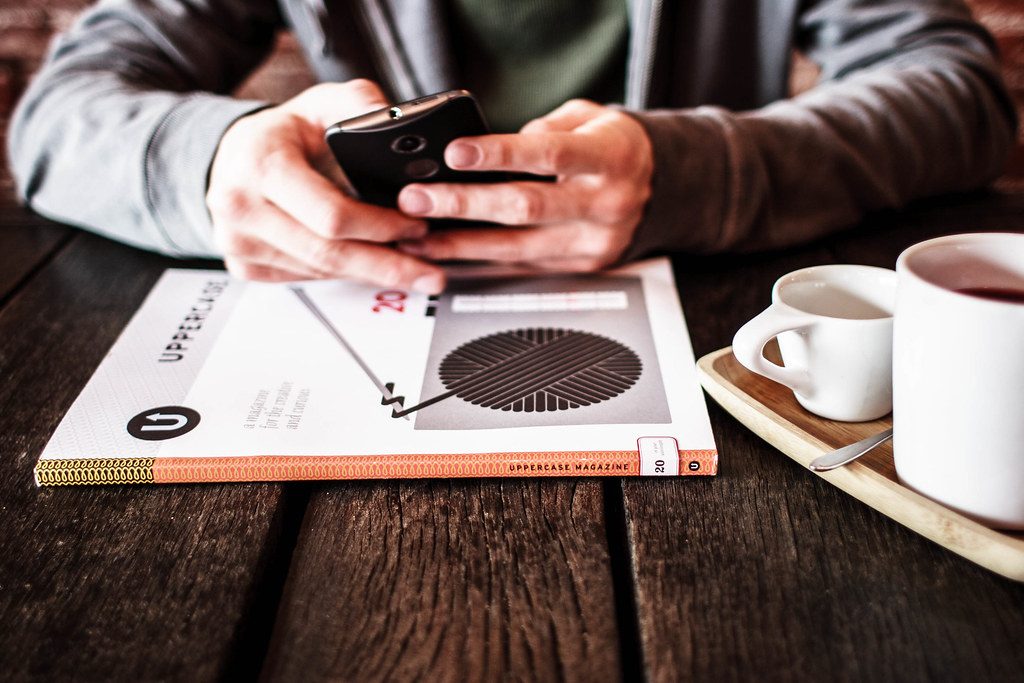
Using a crypto app in India takes about fifteen minutes from download to first purchase, provided you pick the right app and set it up properly. This guide walks through the whole journey: choosing a registered crypto India app, completing KYC, adding rupees by UPI, making your first buy, setting up a SIP, and selling back to your bank account with the tax handled correctly.
Key takeaways
- Choose an app registered with FIU-IND that accepts UPI or bank transfers directly.
- You need a PAN, Aadhaar, a bank account in your own name and a phone number to get started.
- Turn on two-factor authentication before you deposit, and start with a small amount.
- When you sell, 1% TDS is deducted automatically; profits are taxed at 30% when you file your return.
Step 1: Choose the right crypto app
Every app serving Indian users must be registered with the Financial Intelligence Unit (FIU-IND). After that, pick based on what you want to do:
| If you want to... | Consider | Why |
|---|---|---|
| Buy crypto for the first time, simply | CoinSwitch | Easiest buy flow, everything in rupees |
| Have every product in one app | CoinDCX | Spot, SIP, INR futures, options and staking |
| Use the longest-running exchange | ZebPay | Operating since 2014, no major hack on record |
| Buy a ready-made basket | Mudrex | Auto-rebalanced Coin Sets, free INR deposits |
| Trade often at a flat cost | WazirX | ₹99/month zero-fee plan |
For the full shortlist, read our top 5 cryptocurrency apps in India, or check whether an app is legal in the best legal crypto apps in India.
Step 2: Download the genuine app
Search for the exchange yourself in the Google Play Store or Apple App Store, and check that the developer and website on the listing match the exchange's official site. Never install an app from a link sent over WhatsApp, Telegram or SMS, and never install an APK file. Fake exchange apps look identical to real ones but block withdrawals once you deposit. Android users should read the best crypto apps in India for Android for safe-install tips.
Step 3: Complete KYC
Registered apps must verify who you are before you can deposit. Keep these ready:
- PAN card: needed for TDS and tax reporting.
- Aadhaar or another accepted ID for address verification.
- A selfie or short video for a liveness check.
- A bank account in your own name, which the app verifies before allowing withdrawals.
Verification is often quick but can take longer at busy times. An app that lets you trade without KYC is not following Indian rules; avoid it.
Step 4: Secure your account
- Turn on two-factor authentication, preferably with an authenticator app rather than SMS.
- Set an app lock with a PIN or biometrics.
- Use a strong, unique password for your exchange email account.
- Never share an OTP or install a screen-sharing app at anyone's request. No genuine exchange employee will ask.
Step 5: Add rupees
Most Indian crypto apps accept UPI and IMPS/NEFT bank transfers from the bank account you verified. Deposit only from that account; money from a third party's account may be rejected or cause problems. Check the fees first: Mudrex and Delta Exchange offer free INR deposits and withdrawals, while ZebPay charges ₹15 per INR withdrawal. Our guide to the best free crypto apps in India covers these costs.
Step 6: Make your first purchase
Start small, with an amount you would not mind losing while you learn. A large, established coin such as Bitcoin or Ethereum is the usual first choice. You will usually see two ways to buy:
- Instant buy: simple, but the price may include a spread above the market rate.
- Order book (limit order): you set your price; usually cheaper once you are comfortable.
Before confirming, check the fee shown on the order screen. Indian exchanges add 18% GST to the trading fee. Compare costs in the best low fee crypto app in India, and check live rupee prices on our crypto prices in India page.
Step 7: Consider a SIP
Instead of guessing the right moment, many investors set up a crypto SIP that buys a fixed amount every day, week or month. CoinDCX and CoinSwitch start SIPs at ₹100, ZebPay offers a Bitcoin SIP and Mudrex supports SIPs into Coin Sets. A SIP smooths your average price over time but does not remove market risk. Read how to start a crypto SIP in India.
Step 8: Selling and withdrawing
To cash out, sell your coins for rupees in the app and withdraw to your verified bank account. On every sale, 1% TDS is deducted and reported against your PAN; you can adjust it against your tax or claim a refund when you file. Profits are taxed at a flat 30% plus cess, and losses cannot be set off against other income. Download the app's tax report every year and read crypto tax in India explained. Our crypto tax calculator estimates what you owe.
Step 9: Decide where to keep your coins
Keeping coins on the exchange is convenient but carries platform risk; WazirX (2024) and CoinDCX (2025) were both hacked. Once your holdings grow, consider moving long-term coins to a wallet you control. Note that CoinSwitch does not allow crypto withdrawals, and Mudrex charges 2%. See hot wallet vs cold wallet and how to set up a crypto wallet.
Common mistakes to avoid
- Following "tips" from Telegram or WhatsApp groups promising guaranteed returns. Read how to avoid crypto scams in India.
- Jumping into futures or leverage in the first week.
- Buying tiny, unknown coins because the price per coin looks cheap.
- Forgetting to report crypto in the VDA schedule of your income tax return.
Frequently asked questions
Which crypto app is best in India for a beginner?
CoinSwitch is the simplest for a first purchase in rupees. CoinDCX suits beginners who may later want SIPs, more coins or crypto withdrawals. Both are registered with FIU-IND.
What documents do I need to use a crypto app in India?
A PAN card, Aadhaar or another accepted ID, a selfie for verification, and a bank account in your own name.
What is the minimum amount to start on a crypto app?
Very little. SIPs start from ₹100 on CoinDCX and CoinSwitch, and one-off purchases also start from small amounts.
Is my money safe in a crypto app?
Registered apps follow KYC and anti-money-laundering rules, but there is no deposit insurance for crypto. Use two-factor authentication and keep long-term holdings in your own wallet.
This article is AI-assisted, educational and general in nature. It is not financial advice and never a guarantee of profit. Every trade is at your own risk on your own exchange. See our risk disclosure and editorial policy.