Crypto Login: How to Sign In Safely and Fix Problems
How crypto exchange login works in India, how to avoid fake login pages and OTP scams, and what to do when OTP, 2FA or a locked account stops you signing in.
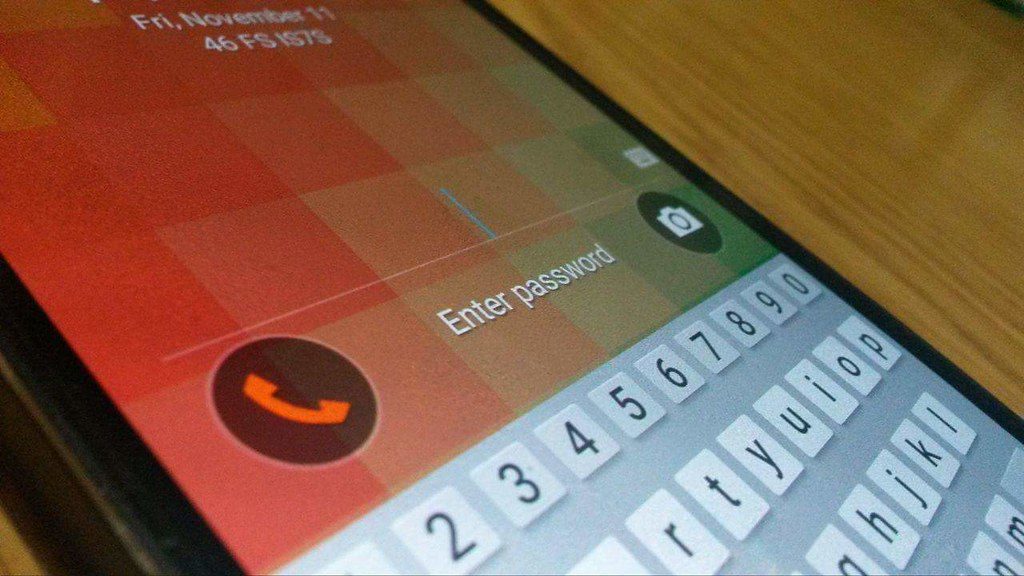
Searching for "crypto login" is one of the riskiest things you can do online. Scammers buy search ads and build pages that look exactly like real exchange login screens, and anyone who types a password and OTP into one can lose their holdings in minutes. This guide explains how logging in to a crypto app or exchange works, how to make sure you are on the real site, and how to fix the most common login problems. BestCryptoIndia is not an exchange and has no crypto login of its own; we never ask for exchange passwords or OTPs.
Key takeaways
- Open your exchange from its official app or a saved bookmark, never from a search ad or a link in a message.
- Use an authenticator app or passkey for two-factor authentication rather than SMS alone.
- No real exchange employee will ever ask for your password, OTP or 2FA code.
- If you are locked out, recover access only through the exchange's official app or website.
How crypto exchange login works
Indian exchanges hold your money and your identity details, so their login is stricter than most apps. A typical sign-in has three layers:
- Identifier: your registered email address or mobile number.
- Password or PIN: something only you know. Many apps also offer fingerprint or face unlock on your phone.
- Second factor: a one-time code sent by SMS or email, a code from an authenticator app, or a passkey stored on your device.
Withdrawals usually need yet another check, such as a fresh 2FA code or email confirmation. After you change your password, 2FA or phone number, many exchanges freeze withdrawals for a period as a safety measure. That is normal and protects you if someone else made the change.
How to reach the real login page
- Use the official app. Install it from the Play Store or App Store and check the developer name. Our guide to downloading a crypto app safely covers this step by step.
- Bookmark the website. Type the address once, check it carefully, save it, and use only that bookmark afterwards.
- Skip sponsored results. Fake login pages often appear as ads above the real result.
- Check the address bar. Look for small spelling changes, extra words or unusual endings in the domain. A padlock icon only means the connection is encrypted, not that the site is genuine.
- Never log in from a link in an SMS, email, WhatsApp or Telegram message, even if it looks official.
Set up strong login security
| Method | How safe | Main risk |
|---|---|---|
| SMS OTP | Basic | SIM swap fraud and OTP-sharing scams |
| Email OTP | Basic | Only as safe as your email account |
| Authenticator app | Strong | Losing the phone without a backup |
| Passkey or hardware key | Strongest | Losing all registered devices |
- Use a long, unique password that you do not use anywhere else, ideally stored in a password manager.
- Secure the email account linked to your exchange with its own strong password and 2FA.
- Turn on withdrawal address whitelisting and anti-phishing codes if your exchange offers them.
- Review the list of logged-in devices every few months and remove any you do not recognise.
Fixing common login problems
OTP not arriving
Check network signal, wait a minute before requesting again, and make sure promotional message blocking or DND settings are not filtering the SMS. For email OTPs, check spam folders. Repeated requests can trigger a temporary lock, so avoid pressing "resend" many times.
Authenticator code rejected
Authenticator codes depend on your phone's clock. Set the date and time to automatic and try again. Make sure you are reading the code for the correct account.
Lost phone or 2FA device
Use the backup key you saved when you set up 2FA. Without it, use the exchange's official "reset 2FA" process, which usually asks for KYC details and a selfie, and may take a few days.
Account locked or frozen
Too many wrong attempts can lock an account for a while. A freeze can also come from a compliance review or a bank or police request. Contact support through the help section inside the official app. For bank-related freezes, see P2P crypto and bank account freeze risks.
Forgotten password
Use "forgot password" on the official app or bookmarked site only. Expect a withdrawal hold after the reset.
Login scams to watch for
- Fake support numbers. Numbers found through search or social media that claim to be exchange helplines. Real support works through the app.
- "Account suspended" messages with a link to "verify" your login.
- Screen sharing requests. Anyone who asks you to install a remote access app can see your codes.
- OTP requests. Any caller asking for an OTP is a scammer, without exception.
If you have entered details on a fake page, change your password from the real app at once, reset 2FA, check withdrawals, and report the fraud at cybercrime.gov.in or on the 1930 helpline. Read more in how to avoid crypto scams in India and crypto hacks explained.
Choosing where to open an account? Compare regulated options in the best crypto apps in India and the FIU-registered exchanges list.
Frequently asked questions
Where can I log in to my crypto account?
Only in your exchange's official app or on its official website opened from a bookmark you saved yourself. Avoid links from search ads and messages.
Is SMS OTP enough to protect a crypto account?
It is better than nothing, but an authenticator app or passkey is much safer because it cannot be stolen through a SIM swap.
Why can't I withdraw after changing my password?
Many exchanges pause withdrawals for a set time after security changes so that a thief who takes over an account cannot move funds immediately.
Does BestCryptoIndia have a crypto login?
We offer a free account for watchlists and portfolio tracking, but we are not an exchange, never hold crypto and never ask for exchange passwords or OTPs.
This article is AI-assisted, educational and general in nature. It is not financial advice and never a guarantee of profit. Every trade is at your own risk on your own exchange. See our risk disclosure and editorial policy.